
Train. Recover. Repeat.
One screen. One sentence. The morning answer to "how am I doing?" — without asking you to log a thing.
Try free for 30 days Then $2.99/mo or $29.99/yr · Requires iPhone (iOS 17+) and Apple Watch
Five questions, every morning.
Form turns the data your Apple Watch already captures into one clear answer for today. No food logging. No subjective ratings. No daily nag.
- Am I consistent this week?
- Did I get enough Zone 2 cardio?
- Am I maintaining strength?
- Am I balanced between strength and cardio?
- What should I do today?
Built for the morning glance.
Open Form, get your read in 10 seconds, close it. Tap deeper only when you want to.
One recommendation, grounded in your week.
Form combines your training so far, your readiness right now, and the workout you just finished into a single honest sentence. If you've already worked out today, it acknowledges that — never piles on a second prescription.

Drill into any number, any time.
Tap a tile to see the 90-day trend, plain-language explanations of what the metric measures, and how your reading compares to age and biological-sex norms. Every recommendation links back to the rule that fired and the data that drove it.

Reads your watch, not your mind.
Form pulls workouts, heart rate zones, HRV, resting heart rate, sleep, VO₂ max, HR recovery, and overnight respiratory rate directly from HealthKit. If your watch captured it, Form already knows. Zero manual logging.
Catches things before they catch you.
Subtle shifts in HRV, resting heart rate, sleep debt, and overnight breathing rate often signal incoming illness, overtraining, or fatigue before you notice. Form flags them gently — POSSIBLE ILLNESS, SLEEP DEBT, LOAD SPIKE — so you can ease off a day or two early instead of being forced to.

Forgiving when you step away.
Took the Watch off for a week? Travelling? Form notices the data gap and shifts into EASING BACK or REBUILDING mode — no false alarms, no scolding. Recommendations pause politely and resume sharpening as your overnight readings come back.
Looks great in either mode.
Light, dark, automatic — Form follows your iPhone.
What to eat. Not what you ate.
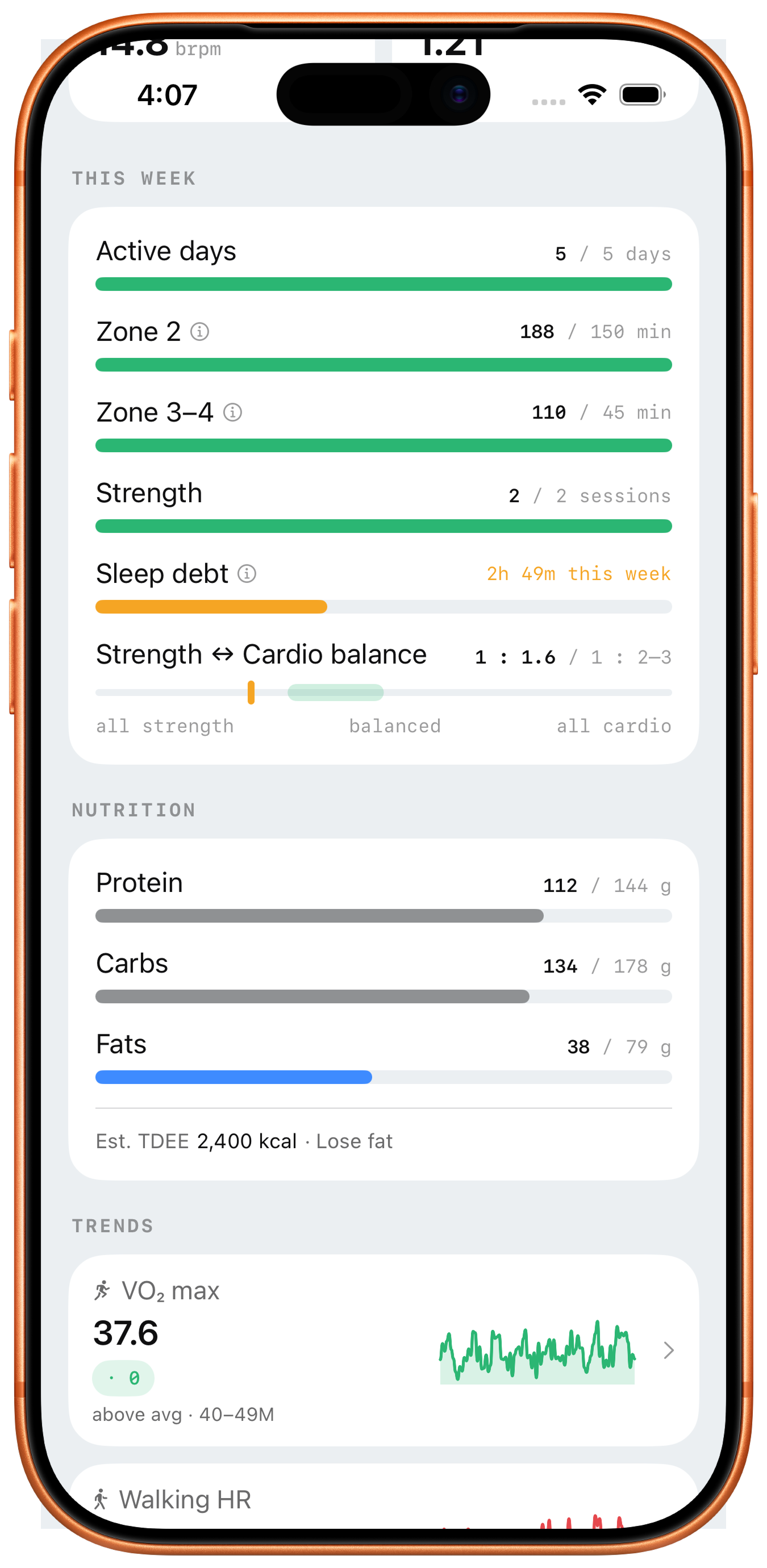
Form now shows daily macro targets based on your workout and scale data — no food logging, ever. Strength day or rest day, the numbers shift automatically.
Targets that adapt to your training.
On a strength day, Form prioritises protein and carbs for recovery. On a walk or rest day, the split shifts toward fat — matching how your body actually fuels each type of work. All from your Apple Watch and Health data, nothing entered by hand.
Your scale does the math.
If you have a smart scale that syncs to Apple Health, Form uses your lean body mass — not just your total weight — to set a more accurate protein target. Connect a food-logging app like MyFitnessPal and Form shows consumed vs. target automatically. No duplicate entry.
Try free for 30 days.
Full access for a month. Subscribe afterward if it's earned a place on your home screen — monthly to keep things flexible, annual to save 17%.
Subscriptions are processed by Apple via the App Store and renew automatically until cancelled. Manage or cancel any time in iPhone Settings → [Your Name] → Subscriptions. Prices shown are USD; local pricing may vary.
Your data never leaves your phone.
Form is built around a simple privacy promise.
- No servers for your health data. No accounts. No cloud sync.
- No analytics, no tracking, no advertising identifiers.
- No data sharing with Apple, with us, or with anyone.
- Subscription billing is handled by Apple — we never see your payment details.
- Uninstall the app, and every value Form computed is gone with it.
Frequently asked.
A few of the most common ones. The full FAQ covers every metric, baseline, rule, and edge case.
- How does the free trial work?
- You get 30 days of full access from your first launch — every feature, no limits. After day 30, you choose monthly or annual to keep using Form. You won't be charged until the trial ends, and you can cancel anytime before then to avoid the first charge.
- Do I need to log anything?
- No. Form uses only what your Apple Watch automatically captures. There's no food logging, no subjective ratings, no manual entry. You don't even create an account.
- Why doesn't Form give me a workout plan?
- It's not a coach — it's a daily read. Form tells you whether you're on pace, how recovered you are, and whether anything needs attention. You decide what to do with that information.
- How long before recommendations become useful?
- Form starts working from day one with whatever Apple Health history you already have. Recommendations become noticeably sharper after 2–4 weeks, once personal baselines stabilise. Tiles marked "baseline stabilizing" indicate fewer than 30 days of data for that metric.
- What happens if I stop wearing my Watch for a few days?
- Form notices and adapts. After 4–7 missing nights it enters EASING BACK mode — prescriptive recommendations pause, the TODAY card shows a gentle welcome-back message. After 8+ nights it enters REBUILDING mode. A missed night is never treated as a low-HRV night, so you'll never come back to a falsely alarming recommendation.